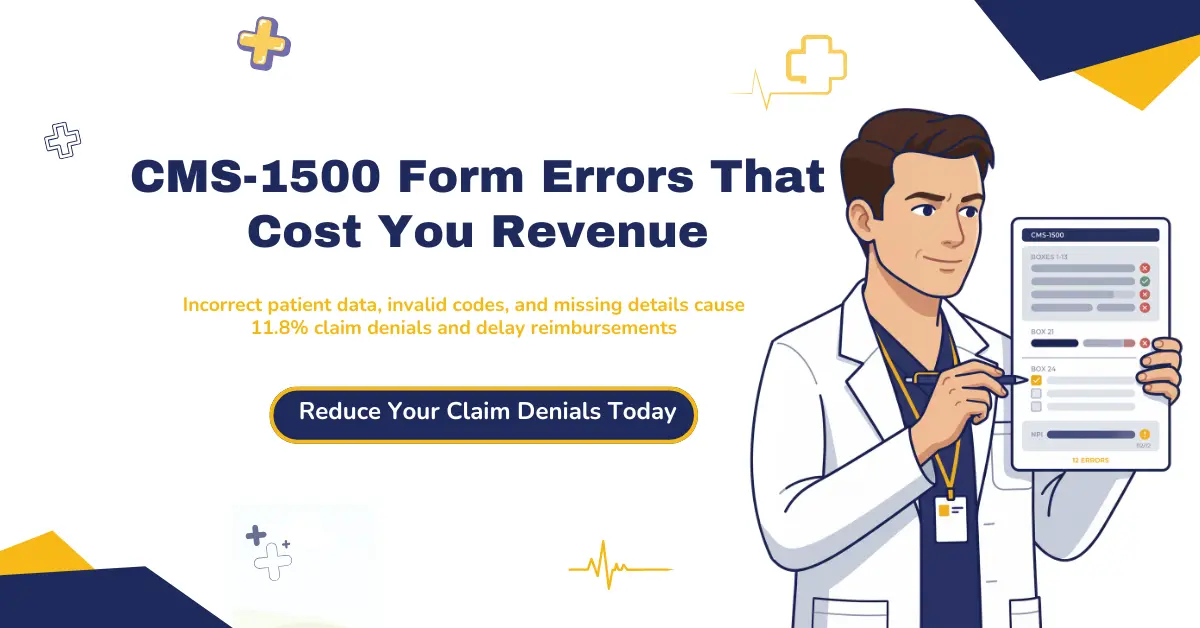
The most common mistakes in filling CMS 1500 form aren’t dramatic coding failures. They’re small, preventable errors: wrong patient demographics in Boxes 1 through 13, invalid ICD-10 or CPT codes, missing diagnosis pointers in Box 24E, incorrect NPI information, and missing modifiers in Box 24D. These mistakes silently drain your revenue and delay reimbursements week after week.
The numbers tell the story. Initial claim denials hit 11.8% in 2024, and the trend isn’t slowing down. Every denied claim costs your practice real money: $6.50 to file the original, $25 to resubmit a rejected claim, and $37 to correct and rework a denied one. That’s not a billing inconvenience. It’s a cash flow problem that compounds every month. Practices that don’t catch these medical billing errors early end up bleeding revenue through reimbursement delays, stalled payment posting, and growing accounts receivable. If your team is stretched thin, professional medical billing services can close that gap.
This guide breaks down the 12 most costly CMS-1500 claim form errors we see across thousands of claims. You’ll get specific box-by-box fixes aligned with the 2026 NUCC Instruction Manual Version 13.0 and the latest CMS regulatory updates. We’ll also walk through a prevention framework built around clean claims, smarter billing workflows, and practical steps your team can use starting today. Whether you’re a physician, practice manager, or billing specialist, these common mistakes in filling CMS 1500 form are fixable, and this guide shows you exactly how.
What Is the CMS-1500 Form?
The CMS-1500 form is the standardized paper claim form used by non-institutional healthcare providers to bill Medicare, Medicaid, and commercial insurers for professional medical services. It’s maintained by the National Uniform Claim Committee (NUCC), chaired by the American Medical Association, with the Centers for Medicare and Medicaid Services (CMS) as a key partner.
The form contains 33 items, many with multiple subfields. Its current version is 02/12. Physicians, therapists, chiropractors, nurse practitioners, clinical social workers, and ambulance services all use it. Hospitals, nursing facilities, and other institutional providers don’t. They submit on the UB-04 instead. Understanding the CMS 1500 form is essential to avoiding common mistakes when filling it, so let’s start with a few distinctions that trip people up.
You can find the full CMS official guidelines on the CMS.gov website.
CMS-1500 vs HCFA-1500: Same Form, Different Names
You’ll still hear some billing teams call it the HCFA-1500 form. Same document, older name. HCFA stands for Health Care Financing Administration, the federal agency that managed Medicare and Medicaid before 2001. That year, HCFA was renamed to the Centers for Medicare and Medicaid Services. The CMS HCFA 1500 form followed suit with the new name. If your practice management system or a colleague still references the HCFA 1500, they’re talking about the same claim form you use today.
CMS-1500 vs UB-04: Which Form Do You Use?
Here’s a mistake that causes instant rejections: submitting on the wrong form. The CMS-1500 is for professional claims from individual providers and outpatient clinics. The UB-04, also called the CMS-1450, is for institutional claims from hospitals, skilled nursing facilities, and inpatient settings. The difference between UB-04 and CMS-1500 comes down to who’s billing and where the service happened.
Submitting a professional claim on a UB-04, or the reverse, means the payer’s system can’t route it correctly. The claim gets rejected before anyone even looks at the clinical data.
| Feature | CMS-1500 | UB-04 (CMS-1450) |
| Used By | Individual providers, outpatient clinics | Hospitals, nursing facilities, inpatient |
| Claim Type | Professional services | Institutional/facility services |
| Electronic Equivalent | 837P | 837I |
| Number of Fields | 33 items | 81 fields |
| Common Specialties | Physicians, therapists, ambulance | Hospitals, SNFs, home health |
CMS-1500 vs 837P: Paper Versus Electronic Claims
The 837P is the electronic version of the CMS-1500 claim form. Both capture the same data, but the 837P transmits it electronically through EDI via a clearinghouse. Around 80% to 90% of claims are now submitted this way.
Paper CMS-1500 forms still get used, though. Small practices, secondary payer claims, and situations where ASCA exceptions apply keep paper in play. Under the Administrative Simplification Compliance Act, Medicare generally requires electronic submission unless a provider qualifies for a specific waiver.
Here’s why the format matters for error prevention: electronic claims get scrubbed in real time before they reach the payer, catching many mistakes before submission. Paper claims don’t get that safety net.
| Feature | CMS-1500 (Paper) | 837P (Electronic) |
| Transmission | Mail or hand delivery | EDI via clearinghouse |
| Processing Speed | 30+ days typical | 5 to 14 days typical |
| Error Detection | Post-submission only | Real-time scrubbing before submission |
| Service Lines | Limited to 6 per form | Supports many more lines |
Why CMS-1500 Accuracy Matters for Your Practice
One wrong field on a CMS-1500 form can stall your payment for weeks. It can trigger a payer audit. It can damage a provider-payer relationship that took years to build. And it usually starts with something small: a transposed digit, a stale policy number, a code that expired last quarter.
According to Experian Health, 68% of providers cite inaccurate patient intake data as the primary driver of claim denials. Coding errors account for roughly 30% on top of that. Understanding common mistakes in filling the CMS 1500 form is the first step toward protecting your revenue, but most practices don’t realize how much these medical billing mistakes actually cost until the numbers pile up.
Here’s what accurate CMS-1500 submission actually gets you: faster revenue cycle management, lower denial rates, and less time spent chasing money that should’ve been collected 30 days ago. Practices that follow CMS 1500 form instructions precisely tend to hit first-pass acceptance rates above 95% and average days to payment below 21. That’s not aspirational. It’s what clean claim rates look like when the billing workflow is tight.
The Real Cost of CMS-1500 Errors
Let’s talk dollars. Filing a clean claim costs about $6.50 on average. Resubmitting a rejected claim jumps to $25. Correcting and reworking a denied claim runs $37. Every common medical billing error on that form multiplies your cost of doing business before a single dollar comes back.
Scale that up to a real practice. Initial claim denials reached 11.8% in 2024, up from 10.2% just a few years prior. Medicare Advantage denials spiked 4.8% between 2023 and 2024 alone. If your practice submits 500 claims a month at even a 10% denial rate, that’s 50 reworked claims costing $1,250 to $1,850 per month in pure administrative waste. That doesn’t include the revenue sitting in accounts receivable while your team chases corrections.
The problem isn’t limited to individual practices. According to the American Hospital Association, nearly 15% of all claims submitted to private payers get initially denied. Incomplete fields cause 25% to 30% of those initial rejections. These aren’t rare edge cases. They’re systemic medical billing errors that compound over quarters and years, quietly eroding payment posting accuracy and cash flow predictability.
The most common mistakes in CMS 1500 form completion are the ones we see over and over. The following 12 are the mistakes we catch most frequently, and every single one is preventable.
If your practice is losing revenue to preventable billing errors, Claimmax RCM’s medical billing services can help you get first-pass acceptance rates back above 95%.
12 Most Common Mistakes in Filling CMS 1500 Form (and How to Fix Each One)
We’ve organized these 12 mistakes using a two-layer framework. Layer 1 covers front-end errors, the kind that prevent a payer’s system from even reading your claim (OCR failures, formatting problems, wrong form version). Layer 2 covers content errors, where the claim gets through the front door but the data inside is wrong or incomplete. A common error that delays CMS-1500 claims processing can fall into either layer.
Every mistake below includes the specific CMS-1500 box number affected, the consequence, and the fix. This list reflects the latest NUCC Instruction Manual Version 13.0 (effective July 2025) and incorporates 2026 Medicare contractor guidance aligned with current CMS 1500 form instructions.
Mistake 1: Using an Outdated CMS-1500 Form Version
Submitting on an outdated CMS 1500 form is a Layer 1 failure. The claim gets rejected before anyone reviews a single line of billing data. It never enters the adjudication queue.
Here’s what catches practices off guard: downloading a CMS-1500 PDF and printing it doesn’t work. Under ASCA, paper claims submitted to Medicare must use the official form printed in Flint OCR Red (J6983) ink. A photocopy or downloaded version won’t replicate the exact scale and color that OCR scanners require.
The current CMS-1500 form version is 02/12. Verify that your practice management software or EHR generates this version automatically. If you’re submitting paper claims, purchase CMS-1500 forms from authorized vendors only. CMS doesn’t supply the form itself, so practices need to source it from commercial suppliers that meet OCR specifications.
NUCC updates the instruction manual annually each July 1. The latest is Version 13.0, effective July 1, 2025. If your team hasn’t reviewed it, now’s the time.
Mistake 2: Incorrect or Incomplete Patient Demographics (Boxes 1 through 13)
This is the most common mistake in filling CMS 1500 forms, and it’s the one that triggers the most denials. According to provider surveys, 68% of providers identify inaccurate or incomplete patient data at intake as the primary driver of claim rejections. Payer systems automatically cross-check patient demographics against their member databases. If the name, date of birth, member ID, or insurance plan type doesn’t match, the CMS 1500 claim form gets kicked back immediately.
Why does it keep happening? Patient information changes constantly: marriages, address moves, policy renewals at the start of each year, employer switches. Most practices collect demographics once during intake and never verify again. Data entry typos are routine: transposed digits, misspelled last names, nicknames instead of legal names.
The boxes that cause the most trouble on the CMS-1500:
- Box 1: Wrong insurance type selected (Medicare vs Medicaid vs commercial)
- Box 2: Patient name doesn’t match insurance card (missing middle initial, using “Bob” instead of “Robert,” including titles not on file)
- Box 3: Date of birth format error or wrong gender marker
- Box 5: Outdated address that no longer matches payer records
- Box 9: Secondary insurance information missing or incomplete, causing coordination of benefits errors
- Box 11: Incorrect group or policy number
The fix is straightforward but requires discipline. Verify patient information at every visit, not just at intake. Ask patients to confirm their insurance card details at each appointment. Best practices for medical registration forms to avoid data errors include front-desk verification protocols that cross-check demographics against the payer eligibility response before the encounter starts. Electronic eligibility verification tools integrated with your EHR make this fast.
Mistake 3: Invalid or Outdated Diagnosis Codes (Box 21)
Box 21 holds up to 12 ICD-10-CM diagnosis codes. These codes establish the medical necessity for every service on the claim. One invalid, deleted, or insufficiently specific code triggers an automatic rejection, and it doesn’t just kill one service line. It can take down the entire CMS 1500 form.
2026 update you need to know: The FY 2026 ICD-10-CM code update, effective October 1, 2025, introduced 614 new codes, deleted 28, and revised 38. If your practice is still using any of those 28 deleted codes, every claim carrying them will reject automatically. The CMS 2026 Conversion Table maps inactive codes to their replacements. Your billing team should’ve reviewed it already.
Specificity matters just as much as validity. Using an unspecified code when a more specific one exists leads to underpayment and audit exposure. For example, billing F43.20 (Adjustment disorder, unspecified) when documentation supports F43.21 (Adjustment disorder with depressed mood) leaves money on the table and signals imprecise clinical documentation to auditors.
Watch for these common medical coding errors in Box 21:
- Using ICD-9 codes instead of ICD-10 (still happens in legacy systems)
- Incorrect diagnosis sequencing (primary diagnosis not listed in position A)
- Diagnoses that aren’t supported by the clinical documentation
- Simple transcription errors in code digits
Integrate a current ICD-10-CM code validation tool into your billing software. Run the CMS 2026 Conversion Table against your most-used code list. Train coders to reference the FY 2026 ICD-10-CM Official Guidelines for Coding and Reporting, updated October 1, 2025. An ICD-10 code reference tool helps verify codes quickly before submission.
Mistake 4: Missing or Incorrect Diagnosis Pointers (Box 24E)
Box 24E links each service line to its justifying diagnosis in Box 21. This is one of the most common errors that delays CMS-1500 claims processing. When the pointer is missing, wrong, or illegible, the payer can’t determine medical necessity for the service. The result: a denial for “lack of medical necessity,” even when the service was completely appropriate.
Here’s how the pointers work. Box 21 lists your diagnoses using reference letters A through L. In Box 24E, you enter the letter or letters that connect each procedure in Box 24D to the right diagnosis. Don’t enter the actual ICD-10 code in 24E. Only use the reference letter. Don’t use commas between multiple pointers. Left-justify the letters.
2026 OCR warning: The March 2026 First Coast MAC guidance specifically flags that OCR scanning systems misread the letters “I” and “L” in Box 24E when poor font choices are used. Claims get processed with the wrong diagnosis pointer, leading to denials or incorrect reimbursement. If you’re submitting paper, use a clear, OCR-friendly font that makes I (uppercase i) and L (lowercase L) visually distinct.
Audit your claim templates regularly. Every service line in Box 24 needs at least one valid diagnosis pointer in 24E. Cross-reference pointers against Box 21 before submission. On paper claims, double-check that your font handles the I/L distinction cleanly.
Mistake 5: Incorrect CPT or HCPCS Codes (Box 24D)
Box 24D captures the CPT and HCPCS codes that define what services were performed. Incorrect codes rank among the top three denial triggers across all payer types. Coding errors account for roughly 30% of claim denials on the CMS 1500 form.
The types of code errors we see most often:
- Using an outdated or deleted CPT code (the AMA updates CPT codes annually, effective January 1; CMS updates HCPCS codes quarterly)
- Selecting a code that doesn’t match the documentation
- Billing timed codes incorrectly, which is especially common with therapy services (selecting 90837 for a 60-minute psychotherapy session when the actual session was 38 minutes, which should be billed as 90834)
- Relying on short descriptions instead of reading the full CPT code definition before selecting
Here’s where medical billing mistakes cross into compliance territory. Unbundling means billing separately for services that should be combined under one code. Upcoding means selecting a code with a higher reimbursement rate than what was actually performed. Both are compliance risks that can trigger fraud investigations. Even unintentional inaccuracy in Box 24D can look like an attempt to inflate reimbursement.
Build a code validation layer into your claim workflow. Use the full CPT code descriptions, not the abbreviated versions. Stay current with annual CPT updates (January 1) and quarterly HCPCS updates from CMS.
Mistake 6: Missing or Incorrect Modifiers (Box 24D)
Missing modifiers are among the most common mistakes when filling CMS-1500 forms. Modifiers go in Box 24D alongside the CPT or HCPCS code. They provide additional context about how a service was performed without changing the procedure’s definition. Skip one, or use the wrong one, and you’re looking at reduced reimbursement, a denial, or compliance exposure.
Why do modifiers matter so much? They tell the payer critical details: was it the left side or the right? Was there a separately identifiable E/M service on the same day as a procedure? Without that context, payers apply default processing rules that may not match what actually happened in the exam room.
The modifiers that cause the most trouble on the CMS 1500 form:
- Modifier -25 (Significant, Separately Identifiable E/M Service): Required when billing an E/M visit on the same day as a procedure. Missing modifier -25 is one of the single highest denial triggers across all specialties. Documentation must support that the E/M was above and beyond typical pre- and post-procedure work.
- Modifier -59 (Distinct Procedural Service): Indicates that procedures normally bundled were performed as separate, independent services. Misuse of -59 is a known audit trigger under CCI edits.
- Modifiers GT and 95 (Telehealth): Required for synchronous telehealth services. Must pair with the correct Place of Service code (POS 02 or POS 10).
- Modifier -76 (Repeat Procedure by Same Physician): Often forgotten when the same procedure is done more than once on the same day.
Build modifier validation rules into your billing software. Create a modifier reference card for your team covering the 10 most-used modifiers in your specialty. Review requirements annually and after every payer policy update.
Keeping up with modifier requirements, code updates, and payer-specific rules is a full-time job on its own. If your billing team is stretched thin, Claimmax RCM’s medical billing specialists handle these complexities daily, so your staff can focus on patient care.
Mistake 7: Wrong or Missing Provider NPI (Boxes 24J and 33a)
Provider NPI errors are among the most common mistakes when filling CMS 1500 forms, especially in group practices. The National Provider Identifier is the unique 10-digit number assigned to every healthcare provider in the United States. Two NPI fields cause the majority of identification errors on the CMS 1500 form: Box 24J (rendering provider NPI, the clinician who performed the service) and Box 33a (billing provider NPI, the entity submitting the claim). A single missing digit halts the entire claim.
Here’s where group practices get tripped up. The billing provider in Box 33 is typically the practice or organization. The rendering provider in Box 24J is the individual clinician who saw the patient. When these get swapped, or when a provider’s NPI isn’t enrolled with a specific payer, the claim comes back as unprocessable.
Scenarios that trigger NPI errors over and over:
- New provider joins but their NPI hasn’t been linked to the group’s payer contracts
- Locum tenens or substitute provider isn’t properly credentialed with the payer
- Tax ID in Box 25 doesn’t match the NPI in Box 33a in payer enrollment records
- Solo practitioner enters both individual and organizational NPI incorrectly
Maintain a centralized NPI directory for every provider in your practice and audit it regularly. Cross-reference NPIs against payer enrollment files quarterly. When a new provider joins, complete provider credentialing and enrollment before they start seeing patients. Verify that Box 25’s Tax ID matches Box 33a’s NPI on every claim template.
Mistake 8: Incorrect Place of Service Code (Box 24B)
The Place of Service code in Box 24B tells the payer where the service was rendered. Get it wrong, and you won’t just delay payment; you’ll change how much you get paid. Payers use the POS code to determine which fee schedule applies, so an incorrect code can mean underpayment or outright denial.
Here are the CMS 1500 place of service codes used most often on professional claims:
| POS Code | Description |
| 11 | Office |
| 02 | Telehealth Provided Other Than in Patient Home |
| 10 | Telehealth Provided in Patient Home |
| 21 | Inpatient Hospital |
| 22 | On Campus Outpatient Hospital |
| 23 | Emergency Room, Hospital |
| 31 | Skilled Nursing Facility |
2026 POS 66 alert: CMS created POS 66 (PACE Day Health Center) via Transmittal R12779CP, implemented January 6, 2025. Here’s the catch: POS 66 applies to Medicaid claims only. Medicare claims submitted with POS 66 will be denied. A lot of billing teams don’t know this yet.
Telehealth POS confusion is another frequent problem. Since the pandemic-era expansion, the difference between POS 02 and POS 10 trips up billing teams constantly. Some commercial payers still require POS 02 for all telehealth. Medicare distinguishes between the patient’s home (POS 10) and other locations (POS 02). Place of service codes for the CMS 1500, and for the HCFA 1500 before it, must also align with any telehealth modifiers (GT, 95) in Box 24D.
Bookmark the CMS Place of Service Code Set page (last modified February 17, 2026) as your primary reference. Build POS-modifier validation rules into your billing software. When you’re unsure about a specific payer’s requirements, call the payer’s provider relations department before submitting.
Mistake 9: Missing Prior Authorization Number (Box 23)
Box 23 holds the prior authorization number the payer issued before certain services can be performed. Leave it blank on a service that requires authorization, and the claim gets denied. It doesn’t matter that the authorization was actually obtained. If the number isn’t on the CMS 1500 form, the automated adjudication system can’t match the service to the approval.
Prior authorization requirements vary by payer and service type. Common services that need it: advanced imaging (MRI, CT), surgical procedures, specialty medications, inpatient admissions, and therapy services that exceed session limits. Every payer keeps its own list.
2026 change to watch: CMS is implementing digital prior authorization requirements starting in 2026. Medicare Advantage insurers must now publish data on authorization requests, denials, and appeals on their websites. That transparency is supposed to streamline the process, but it also means payer systems will enforce authorization matching more strictly. Tighten your Box 23 workflows now.
Catch this at scheduling, not at billing. Implement an authorization tracking system that flags appointments requiring Pre-Authorization before the patient walks in. Capture the authorization number during pre-service and attach it to the encounter before claim generation. Set expiration date alerts for authorizations with limited validity windows.
Mistake 10: Resubmission Code Errors (Box 22)
Box 22 is one of the most overlooked fields on the CMS-1500 form. When you resubmit a corrected claim, Box 22 needs two things: the CMS 1500 resubmission code and the original claim reference number. Leave it blank or enter the wrong code, and the payer treats your correction as a duplicate. Automatic rejection.
How Box 22 works:
- Frequency Type Code 7 means replacement (the corrected claim replaces the original)
- Frequency Type Code 8 means void (cancellation of a previously submitted claim)
- The original claim reference number from the payer’s ERA or EOB must go alongside the frequency code
Here’s the trap. You submit a corrected claim without Code 7 in Box 22 and without the original reference number. The payer’s system sees identical service dates and CPT codes from the original claim. It flags the new submission as a duplicate and rejects it. Your team thinks they fixed the problem. The payer never processed the fix. That loop can drag on for weeks if nobody catches it.
Train your billing team to treat Box 22 as mandatory for every corrected or resubmitted claim. Build a workflow rule: if a claim is being resubmitted, Box 22 must contain Code 7 (or Code 8 for voids) and the original reference number. Don’t resubmit without referencing the original. Ever.
Mistake 11: Missing Item 17 Qualifier, the 2026 Denial Trigger
This newly enforced mistake when filling the CMS 1500 form is catching many billing teams off guard. Item 17 identifies a referring, ordering, or supervising provider when applicable. The field requires the provider’s name, their NPI in Box 17b, and a qualifier code that specifies the provider’s role. Many teams enter the NPI but skip the qualifier, assuming the system will figure it out. It won’t.
What happened in March 2026: First Coast Service Options (a Medicare Administrative Contractor) published a notice on March 6, 2026 stating that claims with an NPI in Item 17 but without a valid qualifier will be returned as unprocessable. This isn’t a soft edit. It’s a hard rejection. The claim doesn’t enter adjudication at all. This is the referral box in the CMS 1500, and it now has teeth.
How qualifiers work in Box 17 on the CMS 1500:
- DN = Referring Provider (the provider who referred the patient for the service)
- DK = Ordering Provider (the provider who ordered a test, procedure, or DME)
- DQ = Supervising Provider (the provider supervising the rendering provider)
Pick the qualifier based on the clinical scenario. Patient referred by Dr. Smith for a specialist visit? Item 17 lists Dr. Smith with qualifier DN. Dr. Jones ordered lab work? Item 17 lists Dr. Jones with qualifier DK.
Update all claim templates immediately. If Item 17 is populated, the qualifier field can’t be empty. Build a hard-stop rule in your billing system: if an NPI is present in 17b without DN, DK, or DQ, the claim can’t be submitted.
Mistake 12: OCR and Paper Formatting Errors
Paper formatting errors remain among the most overlooked common mistakes in filling CMS 1500 forms. Even with electronic claims dominating, a meaningful percentage of CMS-1500 forms still go out on paper. These paper claims are processed using Optical Character Recognition scanning. If the form doesn’t meet OCR requirements, it’s returned as unprocessable before anyone evaluates a single line of billing data. This is a pure Layer 1 failure: the payer literally can’t read your claim.
OCR requires the form to be printed on official stock using Flint OCR Red (J6983) ink or an exact color match. All characters must be typed or computer-printed in black ink only. Every entry must fall within the designated field boundaries. Your font must be clear enough for automated scanners to distinguish between similar characters.
The March 2026 First Coast MAC guidance lists specific violations that trigger rejection:
- Handwritten entries
- Blue, red, or any non-black ink
- Rubber stamp signatures
- Correction fluid or correction tape
- Highlighted text on the form or attachments
- Special characters (dollar signs, commas, periods in monetary fields)
- Text drifting outside field boundaries
- Staples, tape, or stickers attached to the form
If you want to know how to fill out a CMS 1500 form correctly on paper, here’s the quick reference:
| Do | Do Not |
| Type or computer print all entries | Handwrite any field |
| Use black ink only | Use blue, red, or colored ink |
| Use official OCR red form stock | Photocopy or print from a PDF |
| Keep text inside field boundaries | Let characters drift outside boxes |
| Submit a new form if errors exist | Use correction fluid or tape |
| Use clear fonts (distinguish I from L) | Use decorative or unclear fonts |
| Write amounts without symbols (1000) | Include dollar signs or commas ($1,000.00) |
If your practice submits paper claims, run a quarterly OCR compliance check. Print a test claim and compare it against the First Coast formatting requirements. Verify font clarity, alignment, and ink color. Better yet, transition to electronic 837P submission wherever possible. Electronic claims eliminate every OCR-related risk on this list.
These 12 mistakes represent the most common and costly errors we see across thousands of CMS-1500 claims. Identifying them is the first step. Eliminating them takes the right systems, the right training, and in many cases, the right billing partner. Claimmax RCM helps practices across the United States submit cleaner claims, reduce denial rates, and speed up reimbursements through expert medical billing services.
What Are the Two Most Common Claim Submission Errors?
The two most common claim submission errors are inaccurate patient and insurance data and incorrect medical coding. Patient data errors include mismatched names, invalid subscriber IDs, incorrect dates of birth, and outdated policy numbers. Coding errors include using invalid or outdated CPT, ICD-10, or HCPCS codes and failing to code to the highest level of specificity. These two categories encompass the most common mistakes in filling CMS 1500 forms and the most common medical billing mistakes across all payer types.
These errors hit at different points in your workflow. Patient data problems start at the front desk during intake and registration. Coding problems happen later, during charge capture and claim preparation. Together, they create a compounding effect: a claim carrying both a demographic mismatch and a coding error has virtually no chance of clearing automated adjudication. Here’s what most practices don’t realize: fixing just these two categories alone can improve first-pass acceptance rates by 15 to 25 percentage points for practices currently dealing with high denial volumes.
How to Prevent CMS-1500 Claim Errors Before They Cost You Revenue
Identifying common CMS-1500 mistakes is necessary but not enough. Prevention takes systematic processes, current tools, and ongoing education. The strategies below are used by billing teams that consistently maintain first-pass acceptance rates above 95% and average days to payment below 21.
Build a Pre-Submission Checklist
A standardized checklist that every claim must pass before it leaves your office catches errors that speed and volume create. Verify that patient demographics match payer records. Confirm ICD-10 codes are current and specific. Check that every service line in Box 24 has a valid diagnosis pointer in 24E. Verify NPIs in Boxes 24J and 33a. Confirm modifiers are applied where required. Make sure Box 28’s total equals the sum of Box 24F line charges. Check signatures in Boxes 12, 13, and 31. A checklist ensures every CMS 1500 form is filled out correctly. Two minutes of review prevents weeks of rework.
Download our free CMS 1500 Error Prevention Checklist (PDF) to use in your practice.
Use Claims Scrubbing and Automation Tools
Claims scrubbing tools built into CMS 1500 billing software catch errors that human reviewers miss, especially at high volumes. Automated validation checks for missing fields, code mismatches, NPI errors, and formatting violations before the claim leaves your system. Even small practices benefit from the basic scrubbing built into modern EHR and practice management systems. Automation doesn’t replace your team’s expertise. It adds a second layer of validation that never gets tired and never skips a step.
Verify Patient Information at Every Visit
Don’t rely on intake data collected months or years ago. Insurance information changes constantly: policy renewals, employer switches, marriages, address moves. All of these affect eligibility. Ask patients to confirm their insurance card details at each appointment. Run electronic eligibility verification before the encounter starts to catch inactive policies or changed plan details before they turn into denials.
Stay Current with NUCC and CMS Updates
The NUCC updates its 1500 Claim Form Instruction Manual annually each July 1. The current version is 13.0, effective July 2025, and it contains the latest CMS 1500 form instructions and CMS 1500 instructions your team needs. CMS updates ICD-10-CM codes every October 1. The AMA updates CPT codes every January 1. HCPCS codes get quarterly updates from CMS. Medicare Administrative Contractors publish supplementary guidance throughout the year. Assign one team member to monitor these cycles and distribute relevant changes to your billing team within 30 days of each release.
Track Denial Patterns Monthly
Every denial tells a story. Review denied claims monthly to spot patterns: the same missing field, the same code mismatch, the same payer edit showing up again and again. Group denials by category: demographic errors, coding errors, authorization issues, timely filing. Measure denial rates by payer, by provider, and by error type. When you see the same mistake recurring, trace it to the root cause in your workflow and fix the process, not just the individual claim. Data-driven denial management reduces rework and makes revenue more predictable.
Consider Professional RCM Support
Some practices reach a point where the volume and complexity of CMS-1500 billing exceeds what their internal team can handle. When claim denials keep climbing, staff turnover disrupts billing continuity, or payer requirements shift faster than your team can adapt, outsourcing to a professional revenue cycle management partner makes financial sense. Eliminating common mistakes in CMS 1500 form submission takes current coding knowledge, payer-specific expertise, and established workflows. A dedicated RCM team brings all three. The cost of professional billing support is typically offset within 60 to 90 days through improved first-pass rates, faster payment cycles, and tighter revenue cycle management.
CMS-1500 Performance Benchmarks Your Practice Should Track
Practices that excel in CMS 1500 form accuracy share measurable performance characteristics. The benchmarks below represent industry standards for clean claim submission. If your practice falls below these targets, the 12 mistakes outlined above are likely contributing factors. Tracking these metrics monthly gives you an early warning system for billing process breakdowns.
| Metric | Industry Average | Top Performer Target |
| First-Pass Acceptance Rate | 80 to 85% | Above 95% |
| Average Days to Payment | 30 to 45 days | Below 21 days |
| Overall Denial Rate | 10 to 12% | Below 5% |
| Coding Accuracy Rate | 85 to 90% | Above 98% |
| Clean Claim Rate | 75 to 80% | Above 95% |
| Cost per Claim Rework | $25 to $37 | Below $10 (through prevention) |
These benchmarks aren’t aspirational targets reserved for large health systems. Practices of all sizes hit them by combining accurate CMS-1500 completion with systematic error prevention and proactive denial management. If your current numbers fall short, the gap represents recoverable revenue that’s leaving your practice every month.
Frequently Asked Questions About CMS-1500 Form Errors
What are the most common mistakes when filling out the CMS 1500 form?
The most common mistakes when filling out the CMS 1500 form include incorrect patient demographics in Boxes 1 through 13, invalid or outdated ICD-10 diagnosis codes in Box 21, missing diagnosis pointers in Box 24E, wrong CPT codes or missing modifiers in Box 24D, incorrect NPI numbers in Boxes 24J and 33a, and using an outdated form version. Each of these errors can result in claim denials or delayed reimbursements.
What are some common errors that delay CMS-1500 claims processing?
Common errors that delay CMS-1500 claims processing include missing or mismatched patient information, outdated diagnosis or procedure codes, missing diagnosis pointers in Box 24E, omitted prior authorization numbers in Box 23, incorrect resubmission codes in Box 22, and paper formatting issues that prevent OCR scanning. As of 2026, missing the Item 17 qualifier is a newly enforced trigger for immediate claim rejection.
What are the two most common claim submission errors?
The two most common claim submission errors are inaccurate patient and insurance data (mismatched names, subscriber IDs, dates of birth, or inactive policies) and incorrect medical coding (outdated or invalid CPT, ICD-10, or HCPCS codes). These two categories account for the majority of claim rejections across all payer types.
How many diagnoses can be reported on the CMS 1500?
Up to 12 diagnoses can be reported on the CMS-1500 form, listed in Box 21 using reference letters A through L. Each service line in Box 24 can link to up to four diagnosis pointers in Box 24E. At least one diagnosis must be linked to each billed CPT code. Choose the most clinically relevant diagnoses and rank them by severity, with the primary diagnosis in position A.
What is the difference between a claim rejection and a claim denial?
A claim rejection happens before the claim enters adjudication. The payer’s system identifies a front-end error, such as an invalid NPI, formatting issue, or missing required field, and returns the claim without processing it. A claim denial happens after the payer has adjudicated the claim and determined it doesn’t meet payment criteria, such as lack of medical necessity or authorization failure. Rejections can be corrected and resubmitted without an appeal. Denials typically require a formal appeal process.
Where is the carrier block located on the CMS 1500?
The carrier block is located in the top right corner of page one of the CMS-1500 form. This is where you enter the address of the insurance carrier responsible for paying the claim.
Can CMS 1500 forms be handwritten?
You can technically handwrite a CMS-1500 form, but it’s strongly discouraged. Medicare requires electronic submission under ASCA unless a provider qualifies for a specific waiver. Handwritten forms processed through OCR scanning often result in misread characters, processing errors, or outright rejection. For best results, type or computer print all entries in black ink using a clear, OCR-friendly font.
What is the difference between CMS 1500 and UB-04?
The CMS-1500 form is used by individual, non-institutional providers (physicians, therapists, ambulance services) to bill for professional outpatient services. The UB-04 (CMS-1450) is used by institutional providers (hospitals, nursing facilities, home health agencies) to bill for facility-based services. The CMS-1500 has 33 items and its electronic equivalent is the 837P. The UB-04 has 81 fields and its electronic equivalent is the 837I.
Where does the taxonomy code go on the CMS 1500?
The taxonomy code goes in Box 33b of the CMS-1500 form. Use this box when the billing provider has multiple taxonomy codes and the one being reported helps determine policy or coverage for the claim. The taxonomy code must be preceded by the qualifier ZZ in the 33b field.
What is the CMS-1500 form used for?
The CMS-1500 form is used by non-institutional healthcare providers to submit claims for reimbursement of professional medical services to Medicare, Medicaid, and commercial insurance payers. It captures patient demographics, provider information, diagnosis codes (ICD-10), procedure codes (CPT/HCPCS), dates of service, and charges. The form is the standardized communication tool between providers and payers for outpatient and non-facility claims.
How do I correct a mistake on a CMS 1500 form?
Don’t use correction fluid or tape on paper claims. Submit a new form instead. For electronic corrections, resubmit using Frequency Type Code 7 (replacement) in Box 22 along with the original claim reference number from the payer’s remittance advice. Never submit the corrected claim without the resubmission code, or the payer will reject it as a duplicate. Track all corrections to make sure they’re processed within the payer’s timely filing window.
What are the top 5 denial reasons related to CMS 1500 errors?
The top five denial reasons related to CMS-1500 errors are: (1) patient demographic or insurance information mismatch in Boxes 1 through 13, (2) invalid or unsupported ICD-10 diagnosis codes in Box 21, (3) missing or incorrect diagnosis pointers in Box 24E, (4) missing or wrong provider NPI in Boxes 24J and 33a, and (5) missing prior authorization number in Box 23. These five error categories account for the majority of preventable CMS-1500 claim denials across Medicare, Medicaid, and commercial payers. They’re also the most common medical billing errors we see in practice.
Stop Losing Revenue to Preventable CMS-1500 Errors
The common mistakes in filling CMS 1500 form aren’t complex clinical judgments. They’re procedural errors that can be eliminated with the right processes, training, and tools. Initial claim denials have hit 11.8%. Every reworked claim costs $25 to $37. Top-performing practices achieve first-pass acceptance rates above 95%. The gap between where most practices are and where they could be represents revenue that’s directly recoverable.
The regulatory landscape isn’t standing still, either. The FY 2026 ICD-10-CM code update introduced 614 new codes and deleted 28. NUCC released Instruction Manual Version 13.0 in July 2025. Medicare Administrative Contractors are now enforcing new denial triggers like the Item 17 qualifier rule. Practices that stay ahead of these changes collect faster. Practices that don’t will keep losing revenue to errors that should’ve been caught before the claim was submitted.
If your practice is dealing with rising denial rates, slow reimbursements, or staff burnout from reworking rejected claims, it may be time to bring in a dedicated billing partner. Claimmax RCM provides end-to-end medical billing services designed to eliminate CMS-1500 errors at their source. From accurate claim preparation and code validation to denial management and payment posting, we handle the complexity so your team can focus on patient care. Contact our billing specialists for a free consultation and find out how we can improve your first-pass acceptance rate within 90 days.